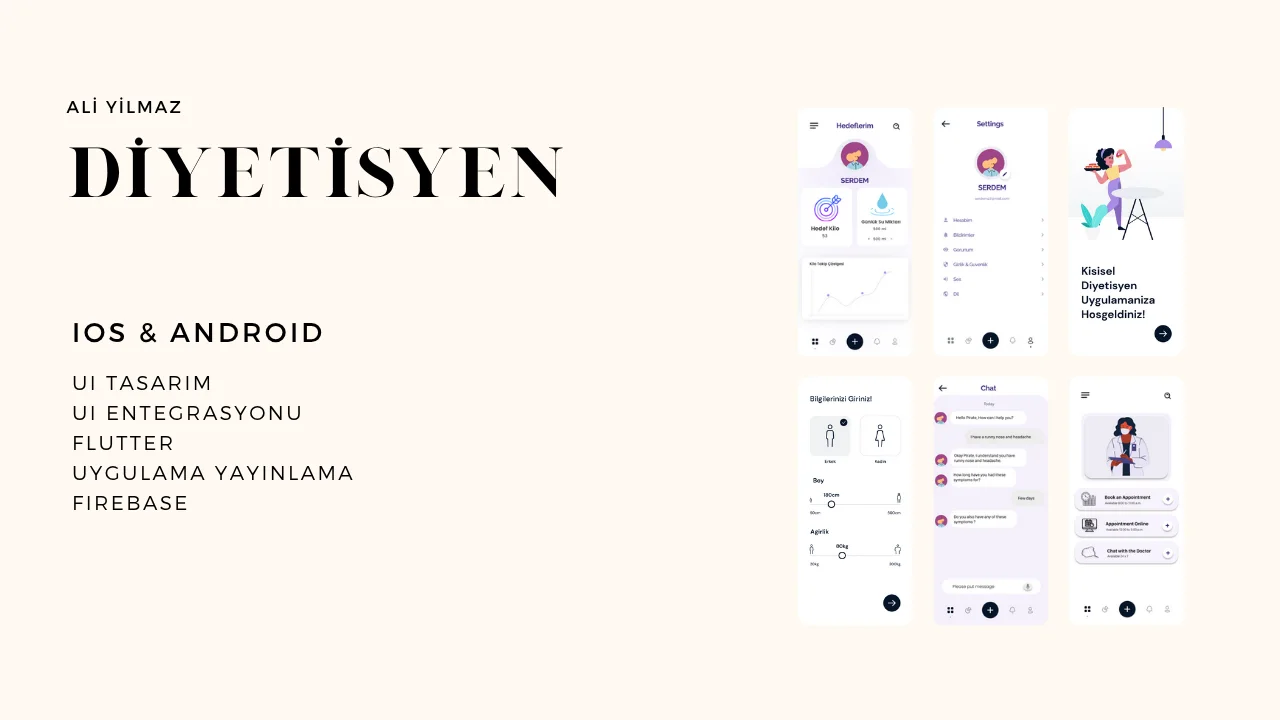
This mobile application brings dietitians and clients into the same workflow for meal planning, daily tracking, progress review, recipes, and communication. The goal was not only to count calories, but to connect plans, daily activity, and professional follow-up through one shared data model.
The problem
Nutrition applications often separate profile data, meal plans, recipes, progress charts, and practitioner workflows into disconnected screens or systems. This project brings those flows together through Firebase-backed data and role-specific interfaces.
Product goals
- Provide understandable flows for both clients and dietitians
- Keep daily tracking, planning, and reporting on a consistent data model
- Use Firebase to reduce synchronization and backend maintenance overhead
- Deliver a structured mobile interface across different screen sizes
Client capabilities
- Account authentication and personalized profiles
- Age, height, weight, gender, preferences, and target-weight settings
- Breakfast, lunch, dinner, and snack planning
- Food search, portions, calories, and nutrient details
- Date-based tracking with weekly and monthly progress views
- Recipe collections with ingredients and preparation instructions
Dietitian capabilities
- Client list and profile management
- Diet-plan creation and progress review
- Appointment and messaging flows
- Shared access to the information required for follow-up
Architecture and technology
The client is built with Flutter and Dart. Provider owns application state, while Firebase Authentication, Cloud Firestore, and Storage provide identity, synchronized application data, and media storage.
lib/
├── core/                    # Base structures and constants
├── product/
│   ├── router/              # Navigation
│   ├── service/             # Firebase services
│   └── widget/              # Shared components
├── view/
│   ├── auth/                # Authentication screens
│   └── home/                # Main application flows
└── utils/                   # Helpers
Dot Navigation Bar, Calendar Timeline, Syncfusion Charts, Easy Localization, Google Fonts, and Flutter SVG support the interface and visualization layer.
Screens and interaction
The primary screens cover a daily dashboard, profile and target management, meal planning, food selection, recipes, progress charts, and account settings.
Development setup
The project targets Android and iOS and requires Flutter 3.0+, Dart, a Firebase project, and the relevant Android Studio or Xcode environment.
git clone https://github.com/aliyilmazco/Diyet-odendi.git
cd Diyet-odendi
flutter pub get
# Configure firebase_options.dart for your Firebase project.
flutter run
Limits
This project is not a health service or a clinical decision system. Within this portfolio, it is a mobile application study focused on role-based flows, daily tracking, and Firebase data synchronization. Production use would require separate treatment of personal health data, informed consent, access control, data-retention policies, and clinical validation.