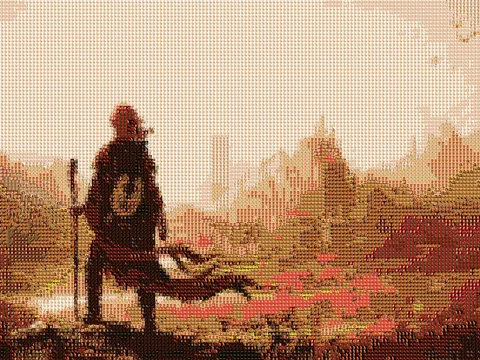
Mosavid is a Python command-line tool that reconstructs an image as a photomosaic made from thousands of smaller tiles, then renders the construction process as video. The project extends the traditional static photomosaic into a repeatable content-production workflow for demos and social formats.
The problem
Most photomosaic tools stop once they produce the final image. Mosavid treats the way the mosaic appears as part of the result. The same matching engine can therefore create a static image, an incremental reveal, a timed build, a before-and-after comparison, or a frame-by-frame mosaic video.
Output modes
Satisfying build
Tiles are placed over time using spiral, random, or row-based ordering and configurable entrance animations. This mode emphasizes the visual process of the mosaic taking shape.
Timelapse
The renderer compresses the construction into a target duration, which is useful for short demonstrations and product previews.
Comparison
The original image and completed mosaic appear in one sequence, producing a clear before-and-after presentation.
Static and video-to-video
Mosavid can also generate a standalone mosaic image or apply the mosaic process to each frame of a source video.
CLI example
pip install mosavid

mosavid satisfying \
  --input examples/1.jpg \
  --output mosaic.mp4 \
  --animation drop_in \
  --order spiral \
  --tiles-per-second 5 \
  --stride 10

mosavid quick-test -i examples/1.jpg
The quick-test command provides a lower-cost preview before committing to a full render. Presets and direct controls support 16:9, 9:16, and 1:1 output requirements.
Architecture
core/owns tile loading, color matching, and placement.generators/contains build, timelapse, and comparison renderers.effects/contains animation, transition, progress, and text layers.audio/adds background music and effects.config/defines presets and defaults.
Separating the matching engine from output generators allows every mode to reuse the same photomosaic logic while keeping rendering behavior modular.
Product decisions
The central decisions were to support several outputs from one engine, provide presets without hiding advanced controls, and make placement order a creative parameter rather than an internal implementation detail. This keeps experimentation fast while preserving reproducible CLI commands.