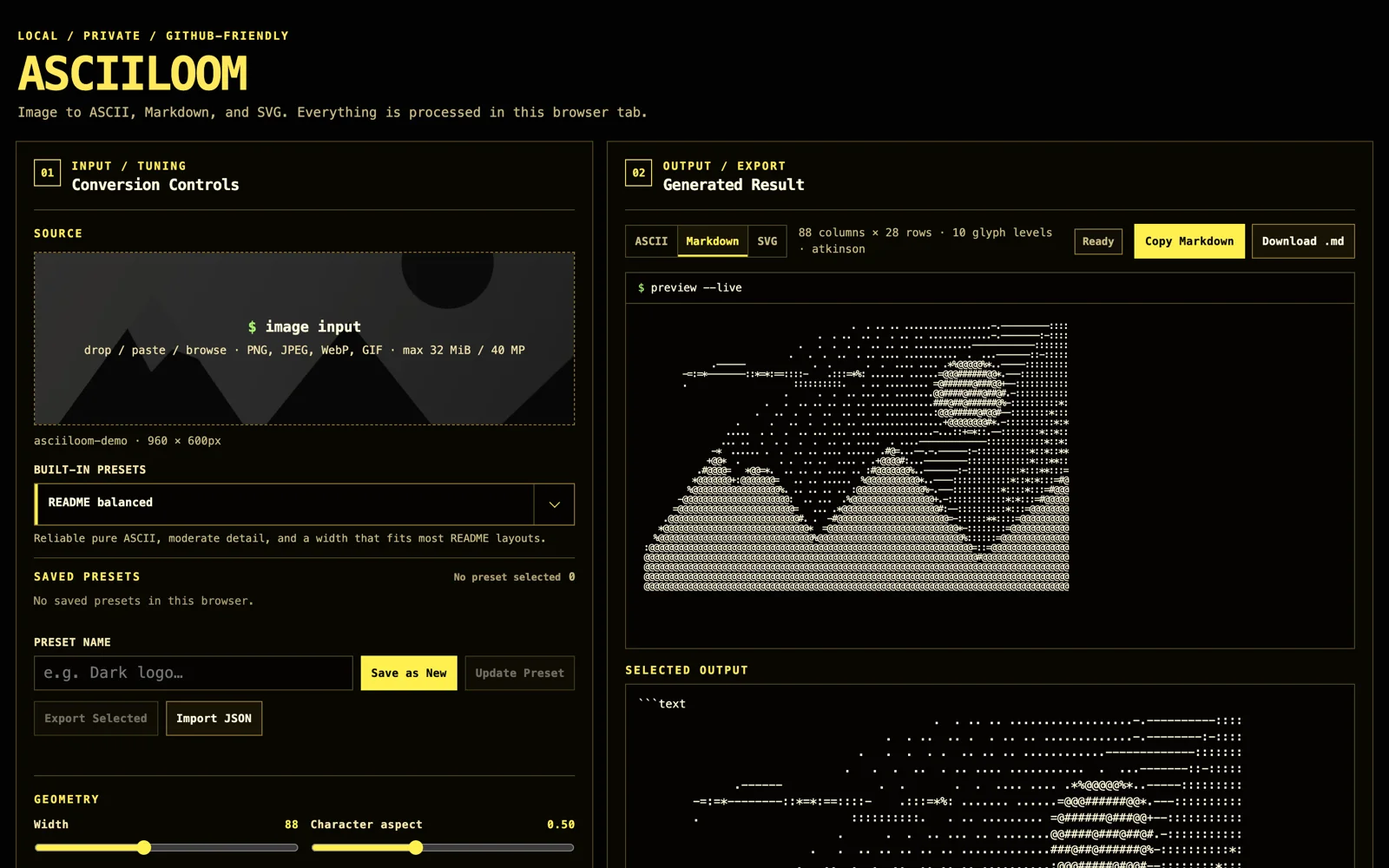
AsciiLoom turns an image into ASCII art that renders cleanly in a GitHub README. The browser studio and the command-line tool share the same strict TypeScript conversion core, and in the browser the image never leaves the tab.
The problem
Most terminal-oriented ASCII packages are built around ANSI colors and console layout. A README has different constraints:
- ANSI escape codes do not produce portable README visuals.
- The output must stay valid Markdown even when the character ramp contains backticks or tildes.
- Monospace character cells are taller than they are wide, so naive resizing squashes the subject.
- Photos need perceptual luminance, local detail recovery and controlled dithering to survive heavy downsampling.
- Plain Markdown follows the reader’s GitHub theme; fixed colors need a separate SVG output.
AsciiLoom addresses these constraints with a pipeline designed for READMEs from the start, rather than adapting a terminal renderer after the fact.
Product goals
- Local browser processing: drag, drop, paste or browse; the image is never uploaded
- One testable conversion core for both the browser and the CLI
- Strict ASCII by default, with Unicode styles only when the user opts in
- A Markdown code fence that cannot be closed by backticks or tildes in the artwork
- Deterministic output for the same input and settings
Main capabilities
Conversion pipeline
The image is oriented and resized for the character cell’s aspect ratio, oversampled above the final grid, composited against the selected background, and converted from linearized sRGB to perceptual luminance. Cell averages are mapped to CIE L* lightness so ramp levels are spent evenly on visible tones. Percentile auto-levels, local detail recovery, gamma, contrast and brightness complete the tone controls.
Styles and presets
- Seventeen character styles: strict-ASCII tone ramps,
shape, which matches each cell’s darkness layout to measured glyph shapes, true 2×4-subcell Braille, and structural Unicode that follows corners, junctions and crosses readme,portrait,logo,ultraandunicodepresets, each only a starting point- Atkinson, Floyd–Steinberg, ordered Bayer 4×4 or no dithering
- Saved browser presets that can be exported and imported as JSON
Three outputs
- Plain ASCII: for text files, terminals or issue comments
- Markdown: a paste-ready code block whose delimiter is chosen longer than any backtick or tilde run in the artwork, with an optional collapsible
<details>wrapper for large pieces - SVG: theme-independent output with fixed colors, an accessible
<title>, and cell widths that keep wide glyphs from being clipped
Usage
The studio runs without installation at asciiloom.aliyilmaz.co. The CLI is published on npm as asciiloom:
npm install --global asciiloom
asciiloom ./photo.jpg --preset readme --output ./ascii-photo.md
To generate text, Markdown and SVG together:
asciiloom ./logo.png --preset logo --format all --output ./docs/logo-ascii
Architecture
The conversion core has no DOM, Canvas, Node or Sharp dependency; it accepts raw RGB/RGBA pixel data. That keeps browser and CLI results aligned and the unit tests fast. In the browser, conversion runs in a dedicated worker. The CLI decodes images with Sharp, validates every destination before processing pixels, and writes each file with an atomic rename. The web interface builds as a static site with no runtime framework and is deployed on Cloudflare Workers.
Verification
The release gate runs strict TypeScript checks, coverage thresholds, an end-to-end Chromium test and a 390-pixel mobile layout check. It also installs the real npm package into an empty project and confirms that the installed CLI reproduces every committed text, Markdown and SVG example byte for byte.
Limits
- Very wide code blocks can scroll horizontally on mobile; 70–96 columns is a good starting point for a general README.
- Markdown code-block colors depend on the reader’s GitHub theme; use SVG for fixed colors.
- Unicode styles depend on the viewer’s monospace font and platform; strict ASCII is the most portable choice.
- Browser sources are limited to 32 MiB and 40 megapixels, and output height to 400 rows.
Links
- Live studio
- GitHub repository
- npm package (CLI only)
- Latest release: v1.0.0
- License: MIT